The platform

One system from QR scan to settlement.

Guest ordering, payment, kitchen and bar printing, live service and management reporting, designed together so a paid order is never lost between them.
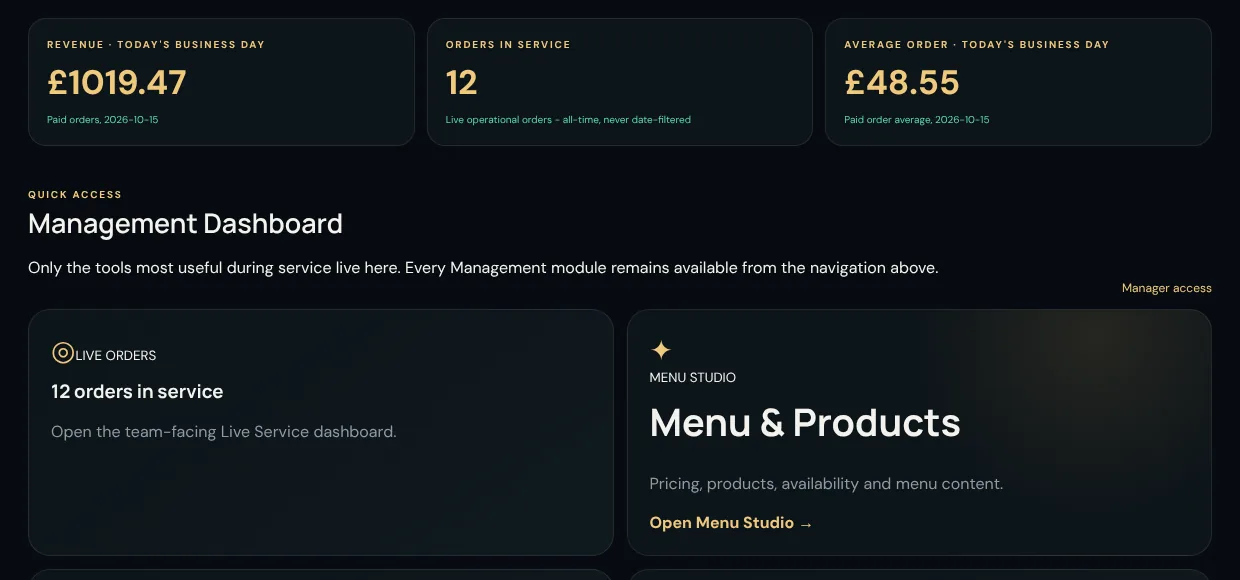
Management dashboard with todays revenue, orders in service and average order value

01 · Guest ordering

A menu that opens from a scan and closes with a payment.

No app, no account, no friction. Guests see your menu with allergen and dietary labels, add options and notes, tip if they like, and pay with a card or wallet.
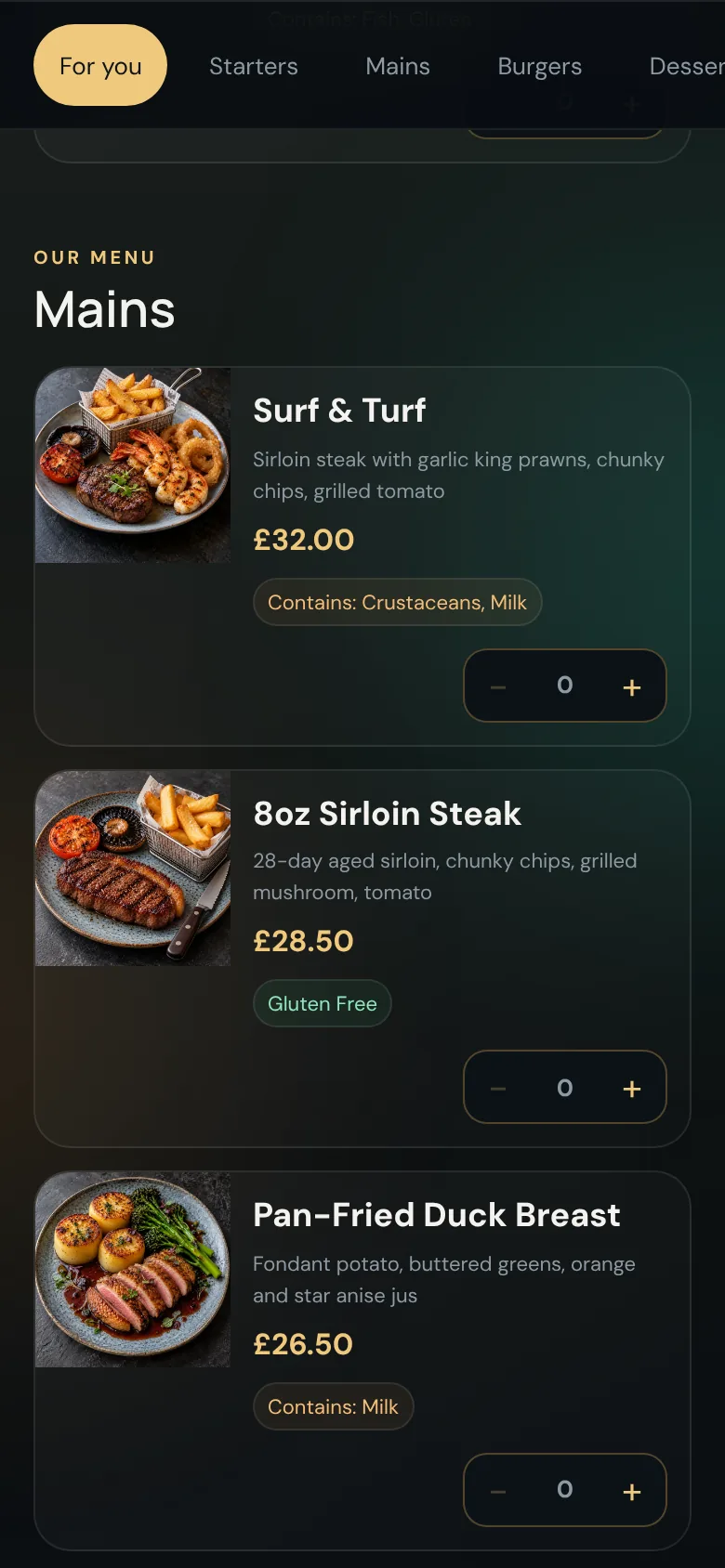
  • A QR code per table or room, or one per Area where guests pick their own spot.
  • Option groups, featured dishes and rule-based basket upsells.
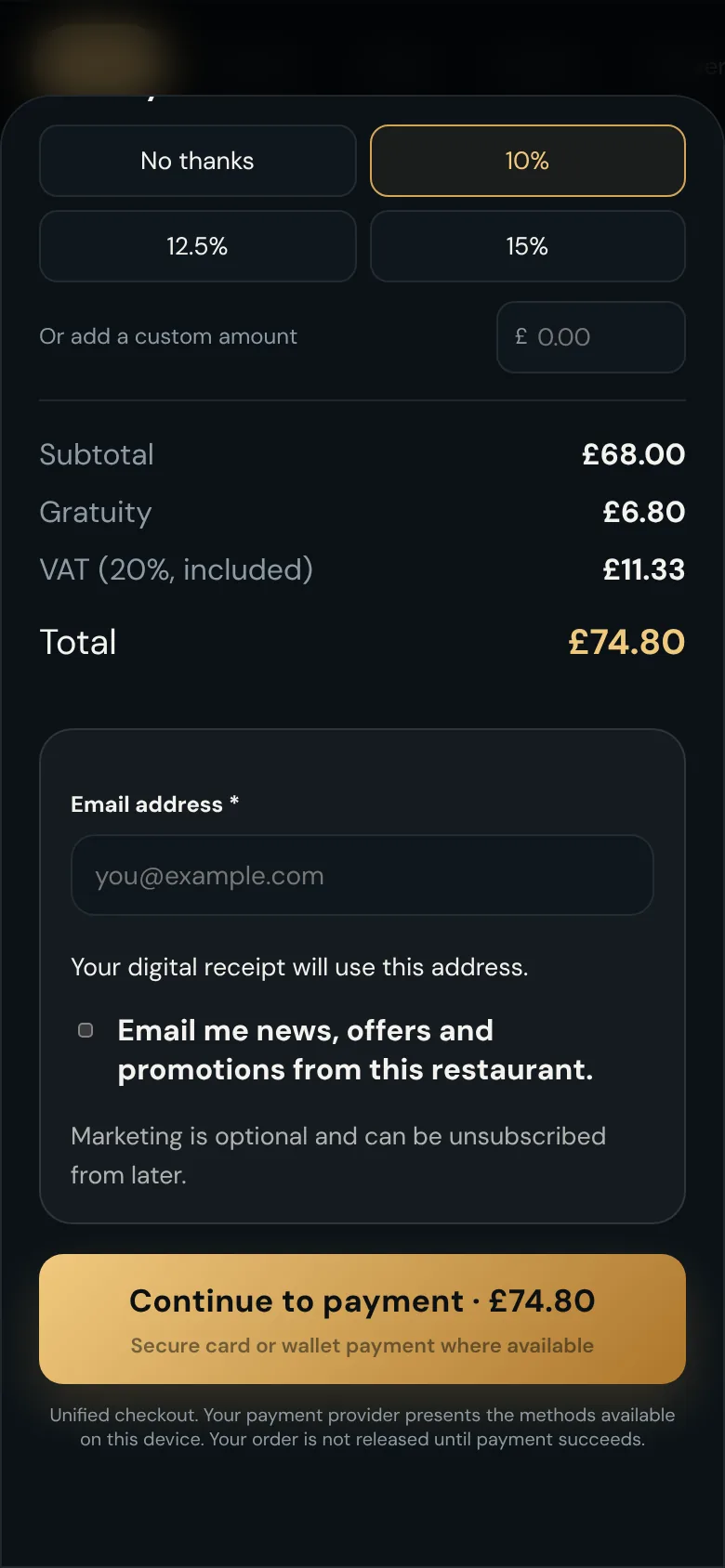
  • VAT shown, optional gratuity, optional email receipt.
  • Live order tracking, plus Call staff and Request the bill.

Guest ordering in detail

Guest menu list with dishes, prices, dietary tags and allergen labels
Checkout with an optional tip, VAT shown, an email receipt field and a continue to payment button

02 · Kitchen & bar

The right item on the right printer, exactly once.

Routing follows your venue: Revenue Centre, Area and menu category decide which printer an item lands on. Payment is confirmed before anything prints.
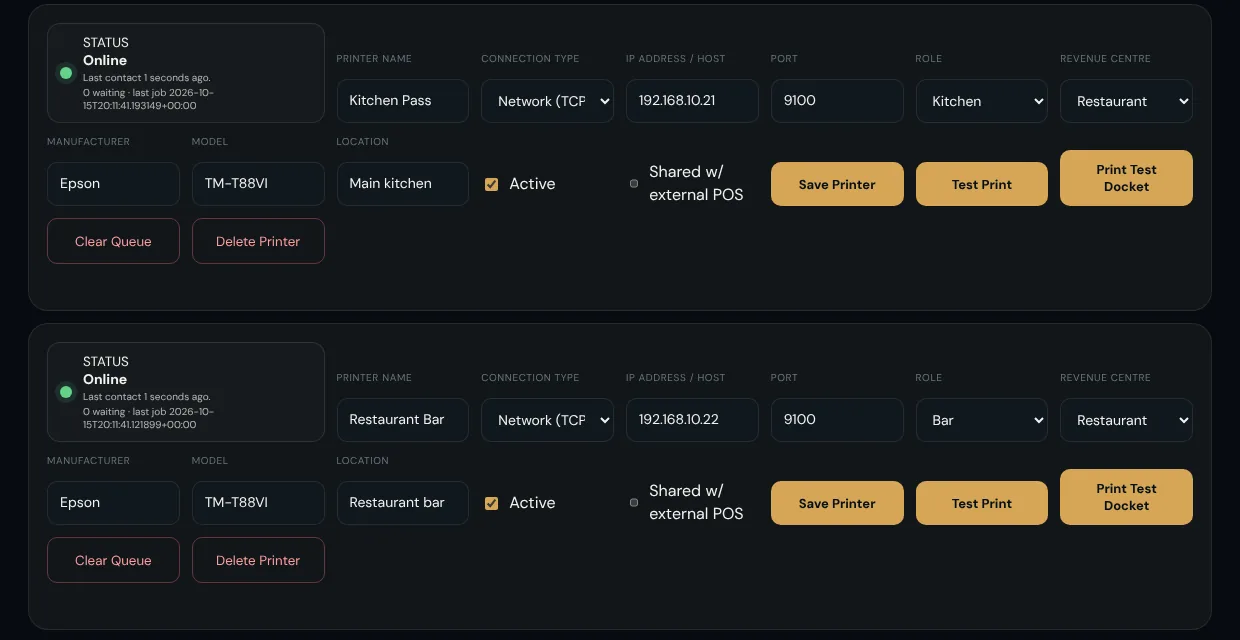
  • Separate kitchen, bar and cocktail-bar dockets from a single order.
  • Printer health, queue and retry visible to management.
  • Configurable docket layout, with a test docket on demand.
  • A small bridge on your network pulls jobs out, so no inbound firewall changes.

Kitchen and bar in detail

Printer setup with two Epson network printers online and their last-contact times

03 · Staff service

A live board that runs service.

Staff sign in with a personal PIN and see the oldest unresolved work first. Every action is attributed to the person who took it.
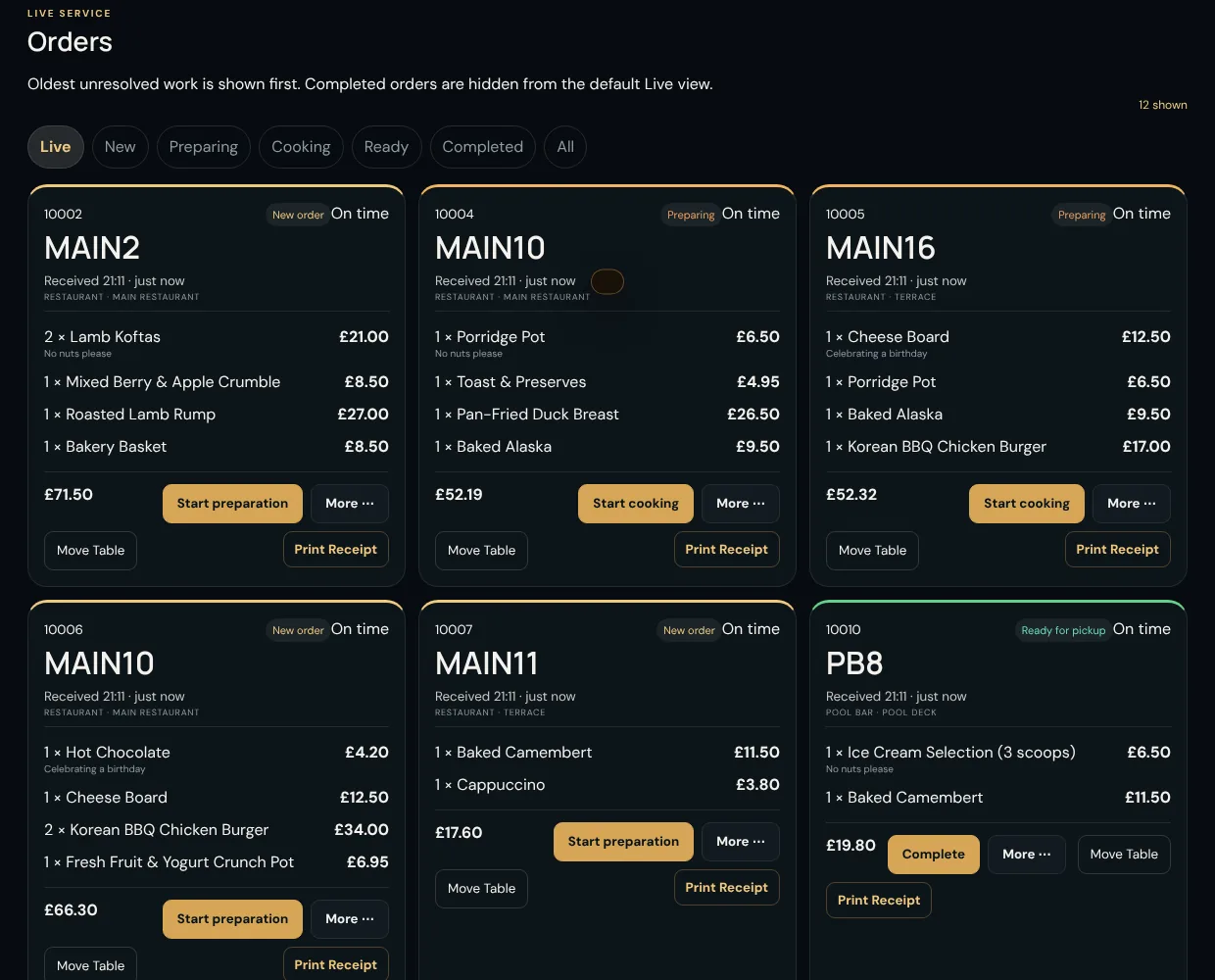
  • New, Preparing, Cooking, Ready, Completed: one tap per step.
  • Guest requests queue, with a quick-print bill.
  • Mark a dish unavailable and it disappears from every guest menu.
  • Idle lock, and a printable shift report for the end of service.

Staff service in detail

Staff live orders board with order cards showing table, items, totals and next-step buttons

04 · Management

Control, reporting and a trail for everything.

Set up the menu and venue, decide who can do what, and answer "what happened to that order?" in seconds.
  • Menu Studio, venue setup and bulk QR label export.
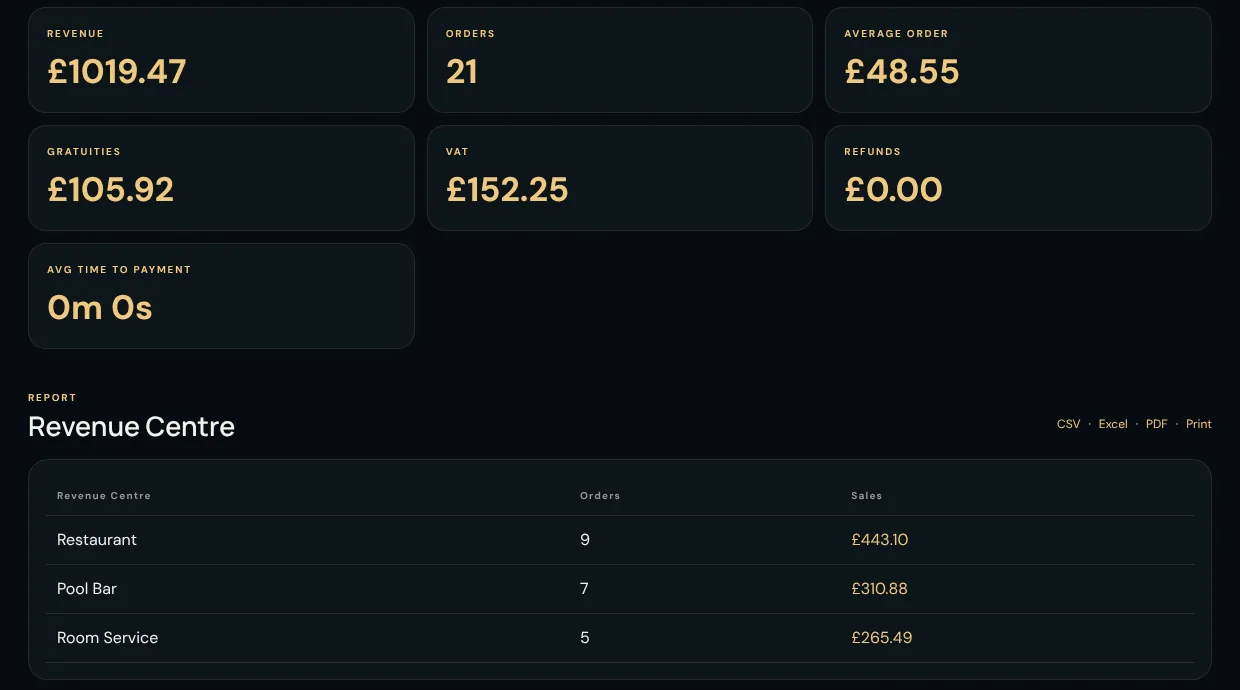
  • 17 reports with CSV, Excel and PDF export.
  • Full and partial refunds, voids before preparation, all with reasons.
  • An audit trail, with financial and security events kept for at least five years.

Management in detail

Reports page with revenue, orders, average order, gratuities, VAT and refunds, plus a Revenue Centre breakdown

Everything in the box

The details that make a platform dependable.

Every property gets the full platform. These are some of the things that matter on a busy Saturday.

Rotatable QR codes

Replace a lost or damaged sticker by rotating its code. The old one stops working at once.

VAT and gratuity

VAT is shown to the guest and reported by order. Gratuity options are 10%, 12.5%, 15% or a custom amount.

Receipts, with consent kept apart

Email receipts are optional. Marketing opt-in is a separate, versioned consent, never a condition of ordering.

A business day that fits trading

A sale at 02:00 belongs to yesterday. Set your own cut-off time and timezone, and reports follow it.

Refunds that reconcile

Full or partial refunds against the original payment, protected against double refunds, with unclear outcomes held for a person to resolve.

Roles and permissions

Servers, bartenders, kitchen, supervisors, managers, finance and administrators, each signing in with their own PIN.

Reusable option groups

Build "Choose your side" once and attach it to as many dishes as you like.

Exports your accountant will like

CSV, Excel and PDF, each stating the property, report, filters and time generated.

Retention you control

Archive and purge schedules for orders and audit history, with a long floor for financial and security records.

See Gustara with your own menu.

A short walkthrough is the quickest way to see how your outlets, printers and menu would fit. Or try the demo on your phone first.