Guest requests
Call staff, request the bill, water, napkins or something else land in a queue until someone marks them done. A quick-print bill is one tap away.
Staff service
Oldest work first, one tap per step, and every action tied to the person who took it. Built for a busy floor, not a back office.
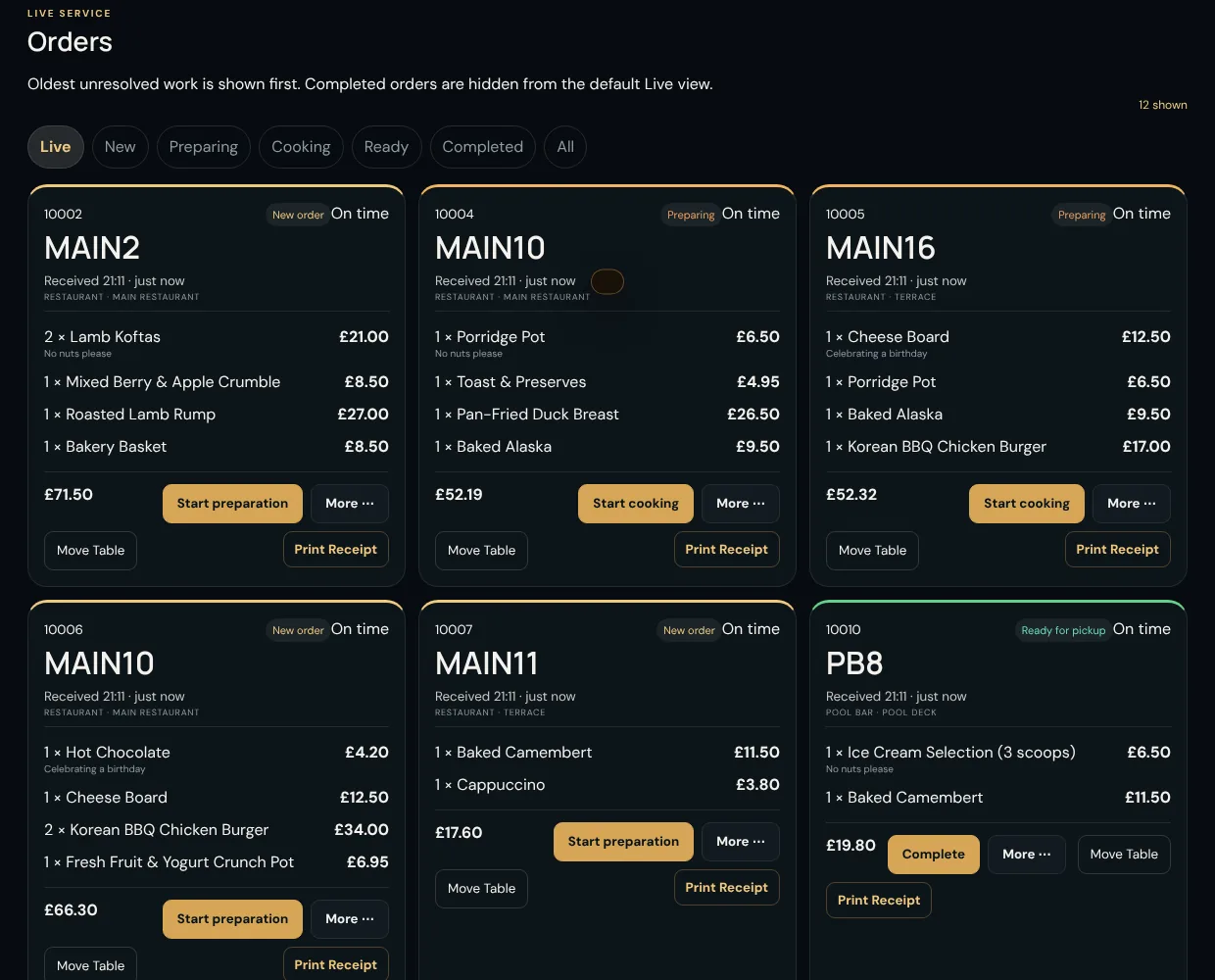
Live orders
The board shows what is waiting, in progress and ready for pickup, with the table, items, notes and total on every card.
Paid and printed. The card appears at the top of the board.
One tap each. The guest's tracking page follows along.
The guest sees it is on its way.
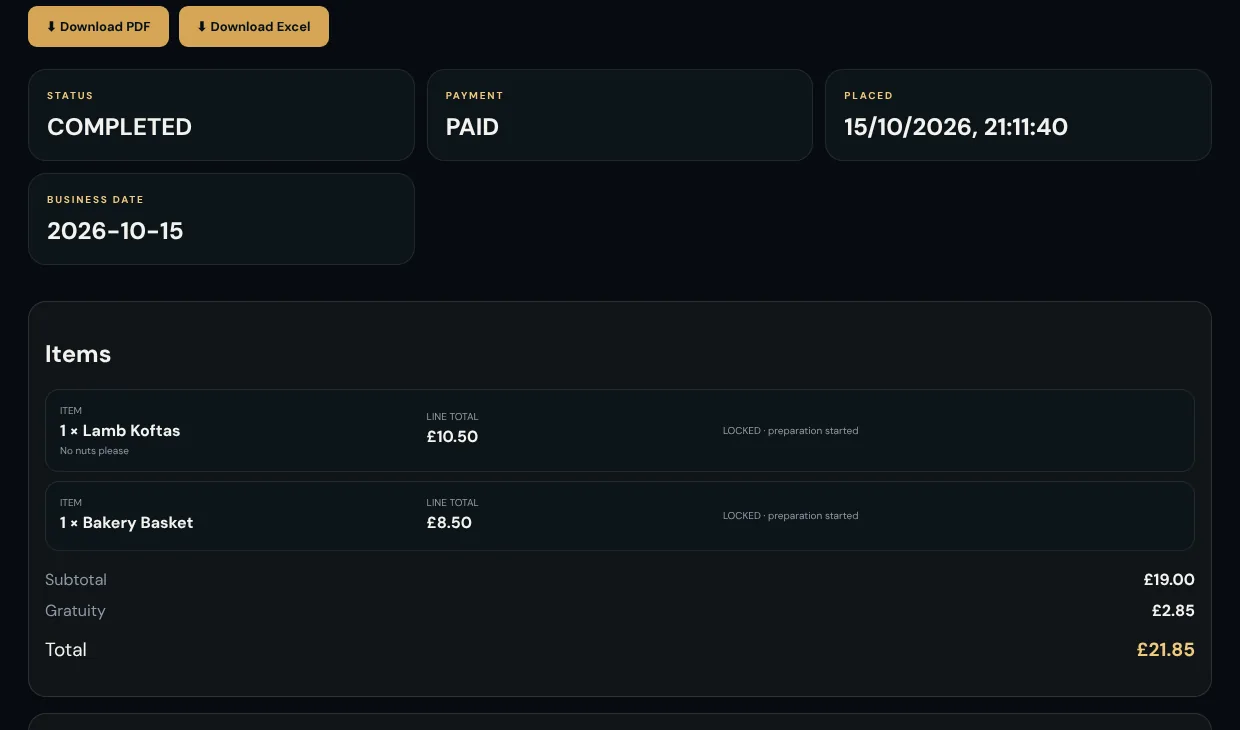
Tucked away from the live view, always findable in order history.
Everything service needs
Call staff, request the bill, water, napkins or something else land in a queue until someone marks them done. A quick-print bill is one tap away.
Out of the ribeye? Mark it unavailable and it leaves every guest menu straight away. Bring it back just as quickly.
A report for the current business day, ready to review on screen or print on a thermal printer at close.
Each employee signs in with their own PIN, so every order action, receipt reprint and cancellation is attributed to a real person.
Lock the terminal in one tap, or let it lock itself after a period you set. Unlocking resumes exactly where you were.
A status banner tells staff when printers or waiting dockets need attention, before a guest asks where their food is.
Care with money
The Staff screen carries the actions service needs. Anything involving money is deliberately gated.
A short walkthrough is the quickest way to see how your outlets, printers and menu would fit. Or try the demo on your phone first.