Guest ordering

A menu in their hand, a payment in seconds.

Guests scan a QR code and your menu opens in their browser. They order, pay and watch it arrive, without installing anything or creating an account.
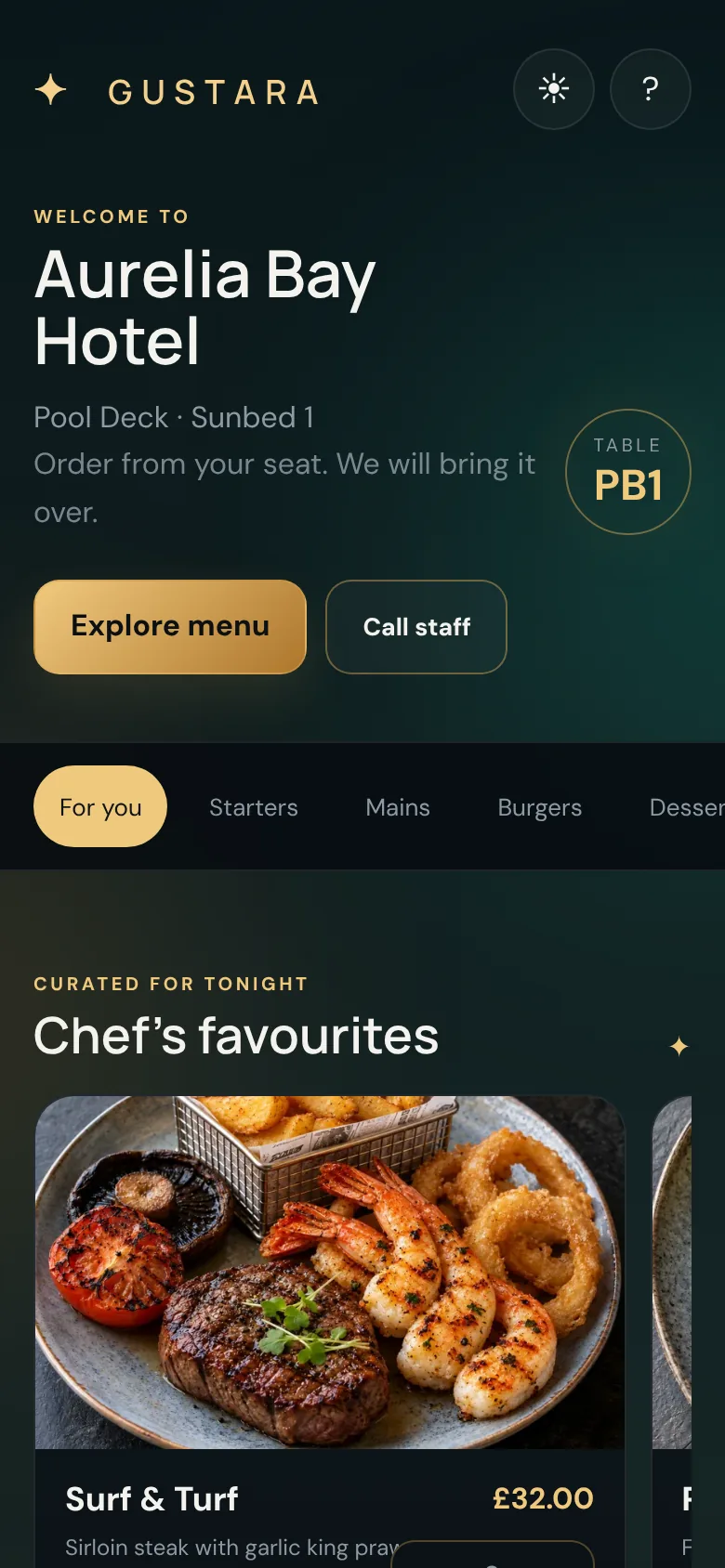
Guest welcome screen on a phone for a pool deck sunbed, with Explore menu and Call staff buttons
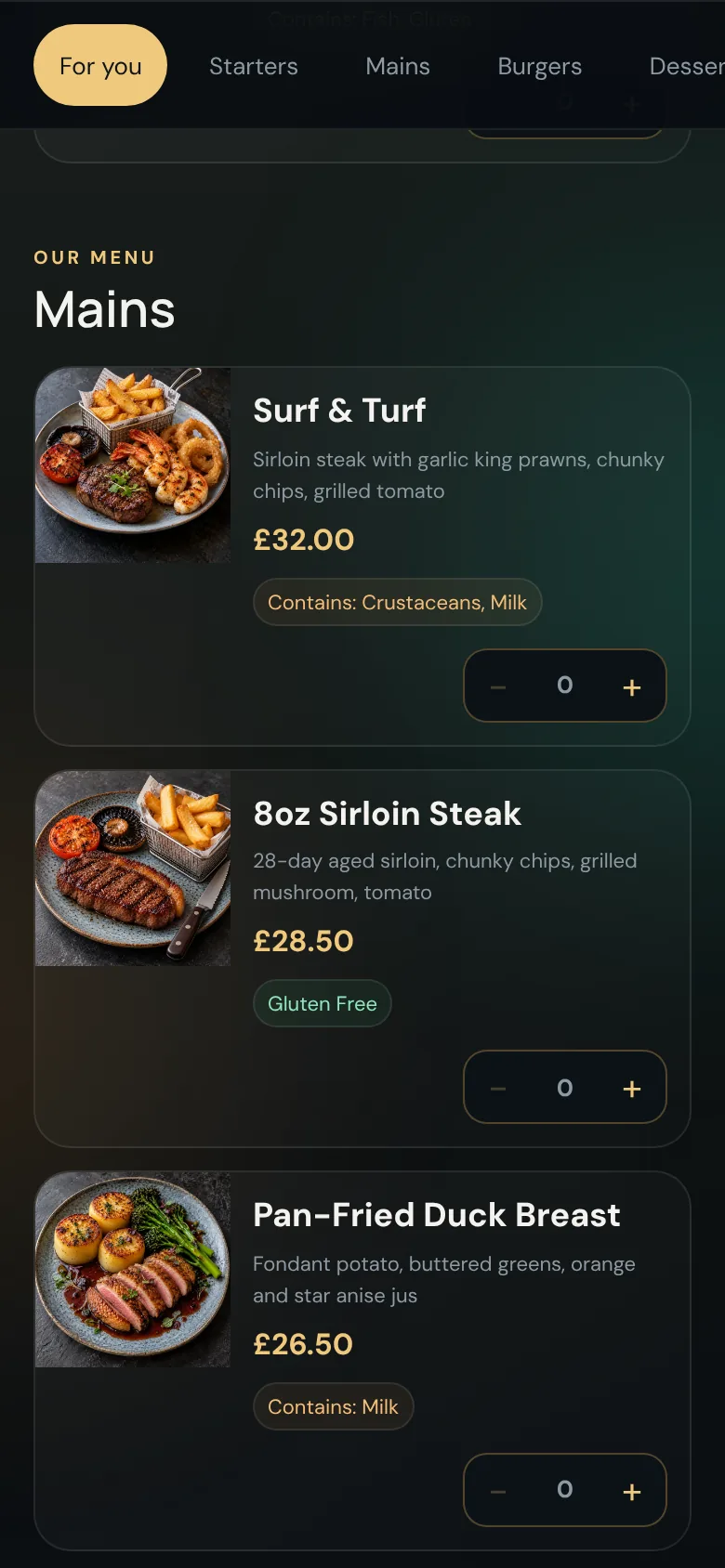
Guest menu list with dishes, prices, dietary tags and allergen labels

Know where they are

Every code knows its place.

A guest never has to say which table they are at. The QR code carries that, so the order, the docket and the report all say it for them.
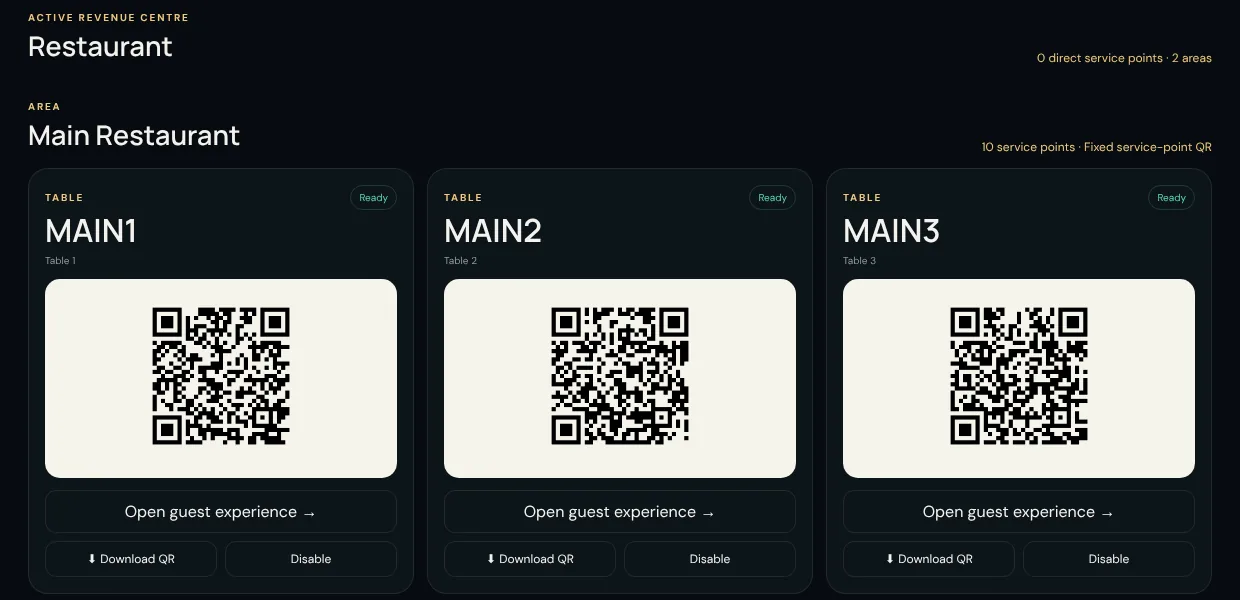
  • One code per Service Point: a table, a room, a sunbed, any named spot.
  • Or one code per Area: guests tap to choose their own table from the list.
  • The welcome screen shows your property name, the Revenue Centre and the exact spot.
  • Disabled a table or Area? Its code politely stops taking orders, and history is kept.
Venue control showing a grid of printable QR codes, one for each table

The menu

Clear, complete and quick to scan.

Category tabs, a featured section, descriptions and prices, and the information guests need before they tap add.

  • Dietary tags (Vegetarian, Vegan, Gluten Free) and allergen labels on every dish.
  • Option groups such as "Choose your side", and a note per dish for the kitchen.
  • Featured dishes surface at the top as "Chef's favourites".
  • Optional rule-based suggestions in the basket, for the products you choose to promote.
  • Dishes you mark unavailable vanish from every menu immediately.

Allergen and dietary information is entered and kept accurate by your team. Gustara displays exactly what you have recorded.
Guest menu list with dishes, prices, dietary tags and allergen labels
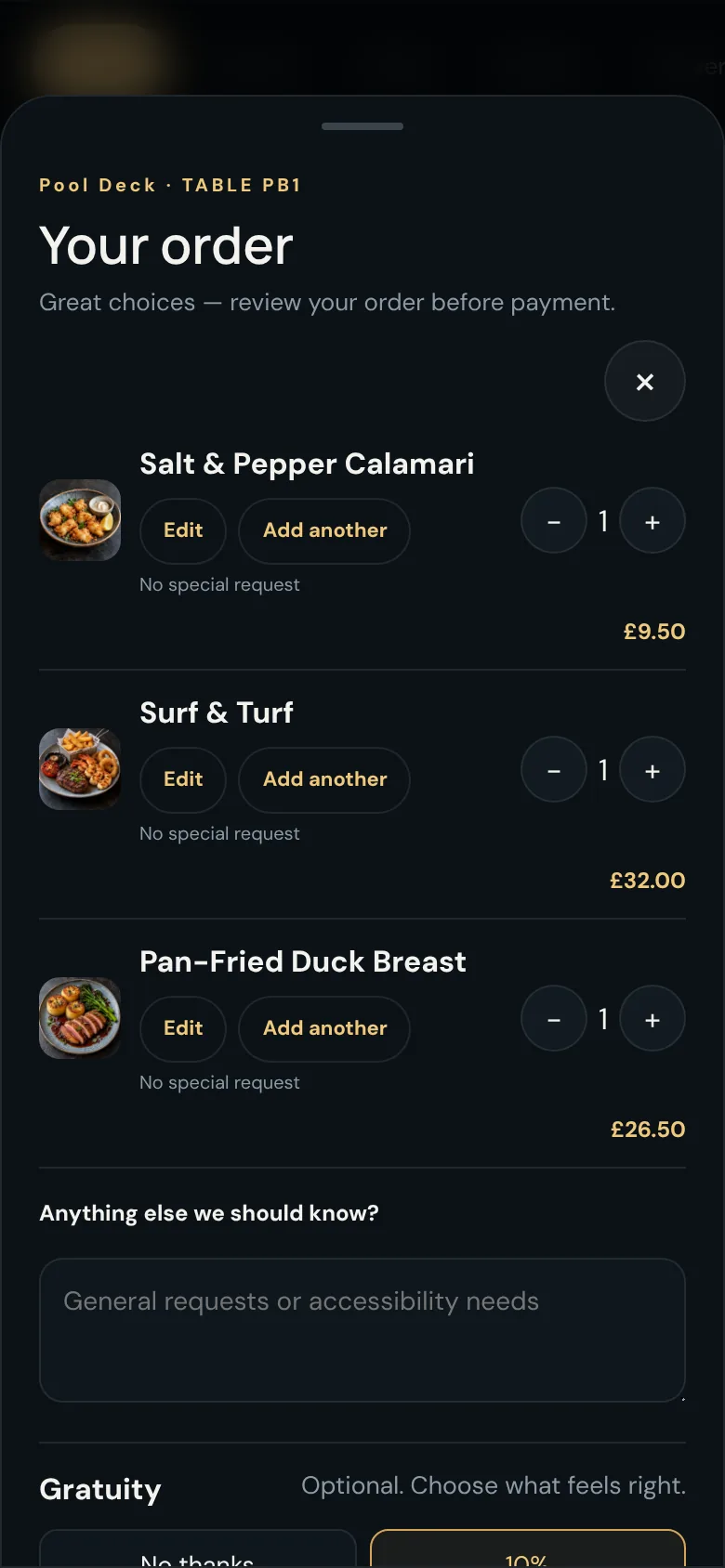
Guest basket with selected dishes, quantity controls and an order notes box

Basket and checkout

A basket that never loses its place.

Guests can step back to the menu from the payment page, add a drink, or retry a declined card without rebuilding their order.
  • The basket survives the whole menu, payment and back journey, and clears only when the order completes.
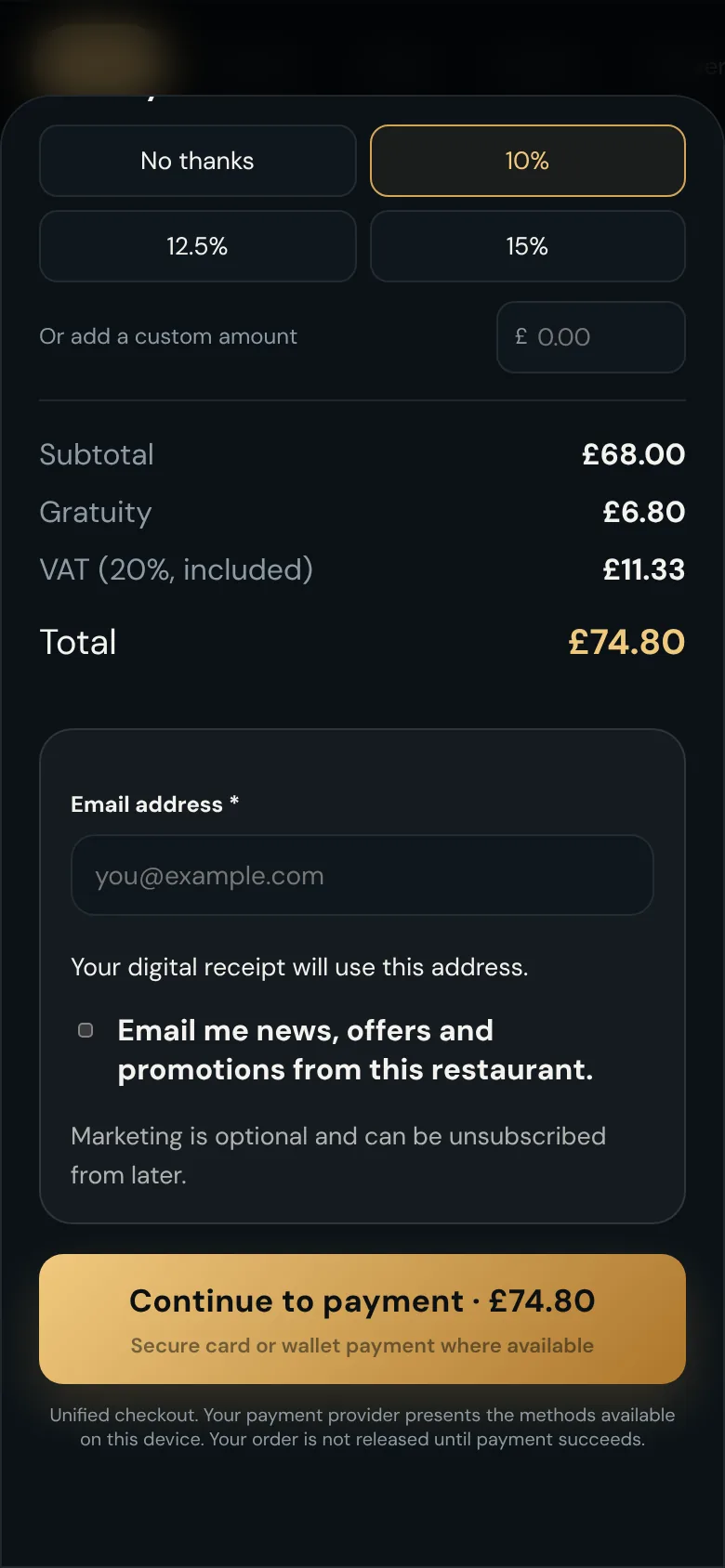
  • Optional gratuity: 10%, 12.5%, 15% or a custom amount.
  • VAT is shown, and the total is the total, with no surprises at the end.
  • Optional email receipt, with marketing opt-in kept as its own separate choice.
  • Pay by card or wallet. Which methods appear is decided by your own Stripe account.
Checkout with an optional tip, VAT shown, an email receipt field and a continue to payment button
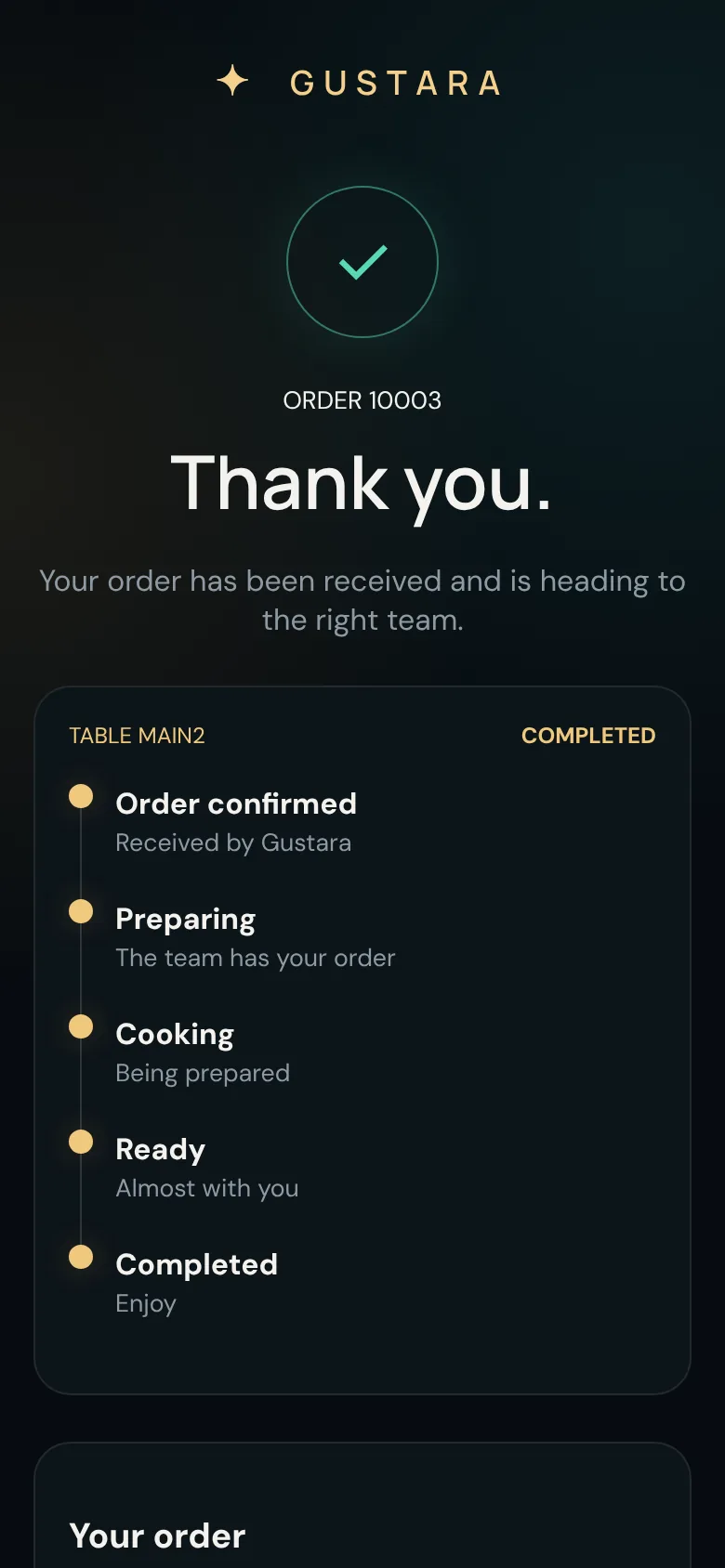
Order confirmation screen with live progress from confirmed to preparing, cooking, ready and completed

After the order

Tracking, requests and honest status.

The guest page keeps people informed so your staff are not asked "where is my order?" all night.

Live progress

Order confirmed, Preparing, Cooking, Ready, Completed. The page updates itself as your team works the board.

Call staff and request the bill

One tap for staff, the bill, water, napkins or something else. Repeated taps do not flood your team with duplicates.

If we cannot confirm, we say so

Should confirmation be delayed, the guest is told not to pay again and to speak to a member of staff. Nothing is guessed.

Stripe-powered payment

Cards and wallets such as Apple Pay and Google Pay, where your Stripe account has them enabled. Card details go straight to Stripe.

Light and dark

Guests can switch themes on their own phone, and the menu is built for small screens first.

Private by design

Order pages never reveal another guest's email, and QR links use long random tokens rather than guessable table numbers.

What guests never have to do

Nothing they would resent.

Install an app

It runs in the browser they already have.

Create an account

No passwords, no profiles, no verification emails.

Flag down a server

Order and pay when they are ready, not when someone passes.

Hand over a card

Payment happens on their own phone.

Try it from your own phone.

Place a test order from a fictional hotel menu. Payments in the demo are simulated, so no card is charged.